
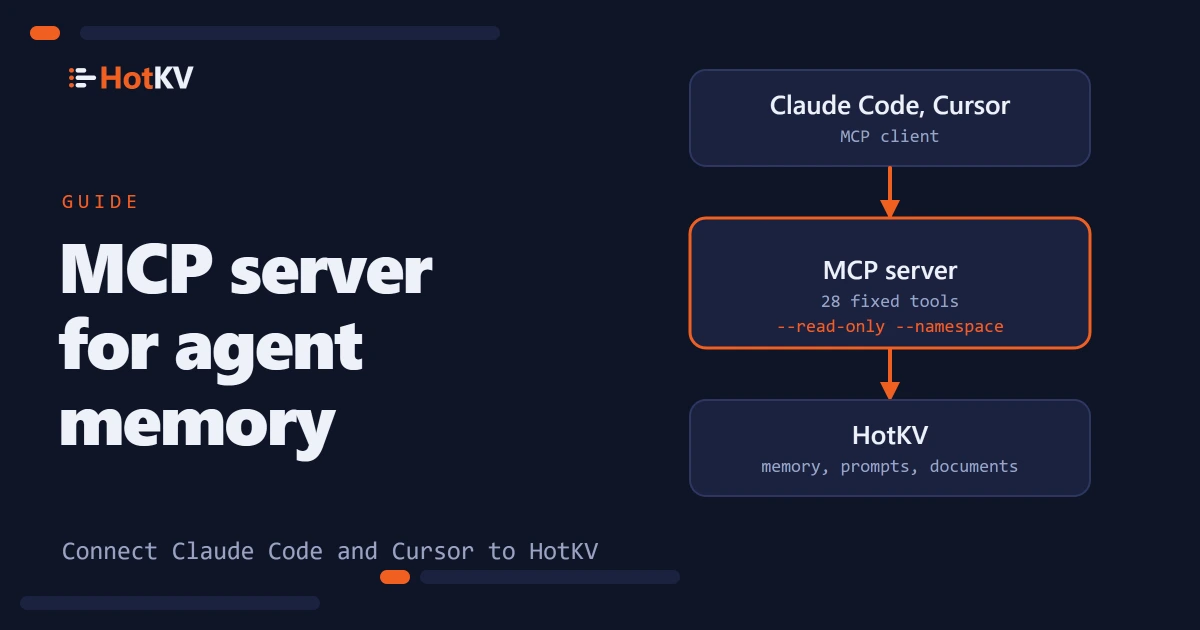
An MCP server is the simplest way to give an AI assistant a memory that lasts longer than one chat. Claude Code, Cursor and similar clients lose the context of a chat when it ends. Handing them raw database access to fix that is risky. hotkv-mcp is our open-source MCP server for HotKV. It gives an assistant a fixed set of tools for notes, conversation history, an event log, prompt templates and document search. It offers nothing else.
In short.
hotkv-mcpis an Apache-2.0 MCP server that connects Claude Code, Cursor, VS Code or your own agent to a HotKV server through 28 fixed tools. There is no tool that runs an arbitrary command, so the assistant cannot flush data or change configuration. A read-only mode removes every write tool, and a namespace confines the agent to one key prefix. Install it withpip install hotkv-mcpor run it withuvx.
What the Model Context Protocol is
The Model Context Protocol, or MCP, is an open standard for connecting AI applications to external systems such as data sources, tools and workflows. The project's introduction compares it to a USB-C port for AI applications. In MCP terms the application is the client, and each system it connects to is exposed by a server.
For memory that means the assistant calls a named tool, such as one that saves a note. The server decides what that tool may do. The model never gets a database connection of its own.
What the HotKV MCP server exposes
The server wraps HotKV's agent memory, prompt registry and document search in 28 tools. Each tool declares in its MCP annotations whether it only reads, writes or deletes. A client can then ask for approval before the destructive ones.
| Group | Tools |
|---|---|
| Server | server_info |
| Keys | get, set, delete, key_info, scan |
| Hashes and lists | hash_get, hash_set, list_range, list_push |
| Conversation memory | memory_append_message, memory_get_messages, memory_clear_messages |
| Working notes | memory_set_note, memory_get_note, memory_list_notes |
| Event log and summary | memory_log_event, memory_query_events, memory_set_summary, memory_get_summary |
| Prompt registry | prompt_save, prompt_get, prompt_versions, prompt_list |
| Document search | rag_create, rag_ingest, rag_search, rag_list |
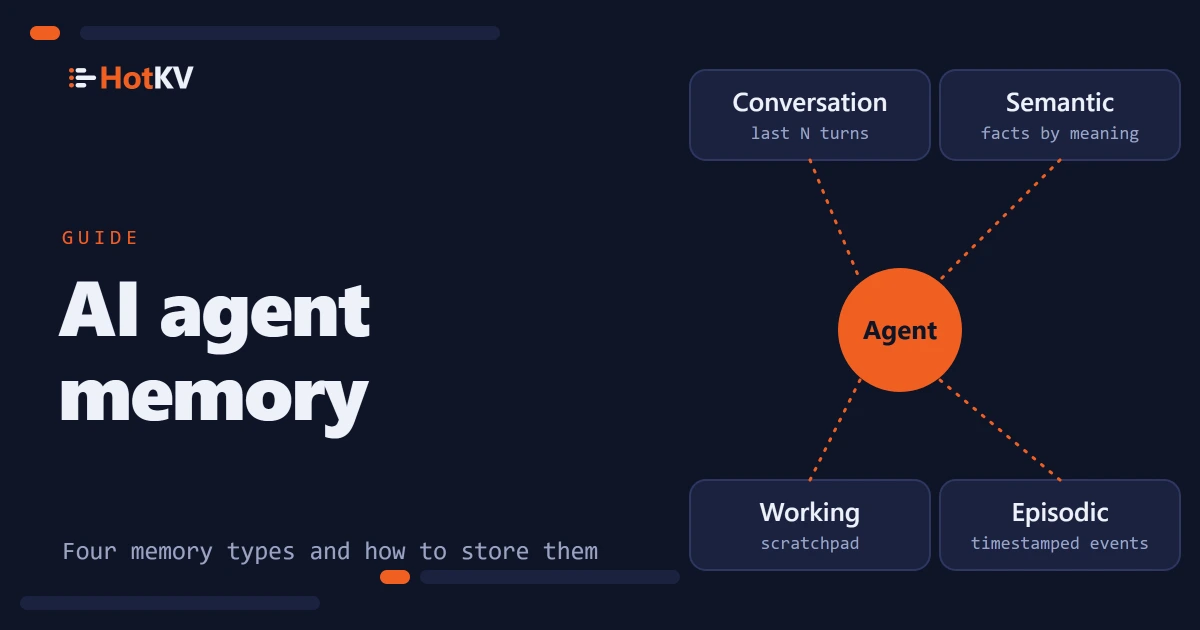
The memory tools map onto the stores described in AI agent memory, namely conversation history, working notes and the event log. Semantic recall by embedding is not exposed. rag_search ranks by keyword relevance, so it needs none.
The key, hash and list tools work against any HotKV server. The memory, prompt and document search tools use HotKV's AI engines, which need a licence that includes them. Without one, those tools return a message that the server is not licensed for the feature. The key tools keep working. HotKV Cloud Performance and Scale instances include the AI engines, as the AI page describes.
Install and connect
The server needs Python 3.10 or newer. It was written against HotKV server 0.3.0 and the official hotkv-client package, and version 1.0.0 is on PyPI. Install it with pip, or run it without installing using uv.
pip install hotkv-mcp
uvx hotkv-mcp --url hotkv://localhost:6379
Claude Code
Add it with one command. The -- separates Claude Code's own options from the command that starts the server, as the Claude Code MCP documentation describes.
claude mcp add hotkv -- uvx hotkv-mcp --url hotkv://localhost:6379
Cursor and Claude Desktop
Clients that read an mcpServers file take the same server as a JSON entry. Keep the password in the HOTKV_URL environment variable or the client's secret store. A command line is visible to other users of the machine. Use hotkvs:// for a TLS connection.
{
  "mcpServers": {
    "hotkv": {
      "command": "uvx",
      "args": ["hotkv-mcp", "--read-only"],
      "env": { "HOTKV_URL": "hotkv://:your-password@localhost:6379" }
    }
  }
}
Check that it works
Run claude mcp list to confirm the server is registered. Then ask the assistant to call the server_info tool. It returns the HotKV version and memory use, plus the key count when no namespace is set. It also reports whether the server is read-only and which namespace it is limited to. That confirms your safeguards took effect.
Keep the agent inside safe limits
A model that can call tools can also be talked into misusing them, so the limits matter more than the features.
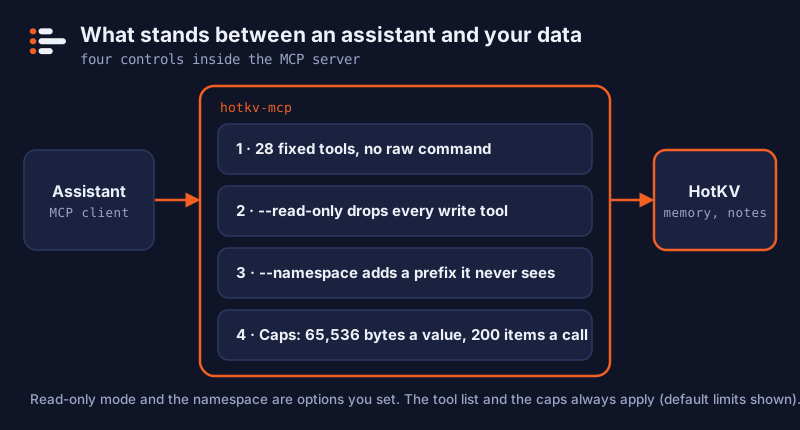
No arbitrary commands
There is no tool that runs a raw command. The assistant cannot flush a database or change the server's configuration, because none of the 28 tools does those things. It can read any key the tools reach, which is why the namespace below matters.
Read-only mode
--read-only removes every tool that writes, including set, delete, hash_set, list_push, the memory tools that add or clear, prompt_save, rag_create and rag_ingest. The agent cannot even see them. Use it for assistants that should consult memory but never change it.
Namespaces and size caps
--namespace PREFIX stores everything under that prefix. The agent never sees the prefix and cannot reach other names. Give each agent a prefix that is not the start of another. Use agent-a and agent-b, not agent and agent:b, or the shorter one can reach the longer one's names.
Results are capped too. --max-value-bytes cuts long values and flags them as truncated, with a default of 65,536 bytes. --max-items limits how many keys, list items or hits a call returns, 200 by default. A single huge value therefore cannot flood the model's context. Reading a whole hash is not item-capped, so keep large hashes out of an agent's namespace.
The HTTP transport has no login
The default stdio transport is started by the client as a subprocess. For shared use you can run hotkv-mcp --transport streamable-http, which listens on 127.0.0.1:8000 at /mcp. It does not authenticate callers. Keep it on localhost or put it behind a reverse proxy that does, and give it its own namespace.
Choosing a setup for a team
The right flags depend on what each agent is for. Every option below is a command-line flag. --read-only and --namespace also have environment variables, HOTKV_MCP_READ_ONLY and HOTKV_MCP_NAMESPACE.
| Setup | Flags | Use it when |
|---|---|---|
| Solo trial | --namespace trial | You are trying the tools on a local server |
| Reader of shared notes | --read-only --namespace team-docs | An assistant should consult prompts and notes but never change them |
| One writer per agent | --namespace agent-a for each agent | Several agents keep their own memory and must not see each other's |
| Shared service | --transport streamable-http behind a proxy that authenticates | A team shares one server and you control who can reach it |
Start from the most restricted row that does the job. It is easy to widen access later, and hard to take back what an agent has already written.
A first session, step by step
A short trial shows what the safeguards do before you trust the server with real notes. Use a throwaway namespace and a local HotKV server that is licensed for the AI engines, because the memory tools do not work without that licence.
- Connect with a namespace. Run
claude mcp add hotkv -- uvx hotkv-mcp --url hotkv://localhost:6379 --namespace trial. - Check the limits. Ask the assistant to call
server_infoand report the namespace and whether the server is read-only. It should saytrialand not read-only. - Save a note. Ask it to remember that the staging site lives at a given address, under a note named after the site. The assistant calls
memory_set_note, and the session is created on first use. - Read it back in a new chat. Start a fresh conversation and ask what notes exist for that session. It calls
memory_list_notesandmemory_get_note, and the note is still there. - Log a decision. Ask it to record a decision in the event log. It calls
memory_log_event, andmemory_query_eventsbrings it back later. - Remove its write access. Remove the old entry, reconnect with
--read-onlyand repeat step 4. Reading still works, and the tools that write are no longer offered.
If step 6 behaves as described, you have seen the two controls that matter most, the namespace and read-only mode.
Treat whatever the assistant stores as untrusted text when it is read back, as the memory article explains in treating stored text as untrusted. Notes written from web pages can carry instructions.
Troubleshooting
- "This HotKV server is not licensed for that feature." The memory, prompt and document search tools need a HotKV licence that includes the AI engines. The key, hash and list tools keep working without one.
- The connection fails. Check the URL scheme.
hotkv://,hotkvs://(TLS),redis://andrediss://all work, and a password goes in the URL ashotkv://:password@host:6379. - A value comes back cut. The result is flagged as truncated when it passes
--max-value-bytes. Raise the limit or store smaller values. - A write tool is missing. Look for
--read-onlyin the server's arguments orHOTKV_MCP_READ_ONLYin its environment. - The assistant cannot find a name it saved earlier. Check that it used the same session or agent name, and that the server runs with the same namespace as before.
uvxis not found. Install uv, or install the package withpipand starthotkv-mcpdirectly.
Frequently asked questions
What is an MCP server?
An MCP server is a program that exposes tools, data or workflows to an AI application over the Model Context Protocol. The application, called the client, lists the tools and calls them by name. The server controls exactly what each tool can do.
How do I add an MCP server to Claude Code?
Run claude mcp add <name> -- <command>. For HotKV that is claude mcp add hotkv -- uvx hotkv-mcp --url hotkv://localhost:6379. Use claude mcp list afterwards to confirm it is registered.
Is the HotKV MCP server safe to give an AI assistant?
It limits what an assistant can do. It offers 28 fixed tools and no arbitrary command, can be made read-only, can be confined to one namespace and caps result sizes. It cannot make stored text trustworthy, and the HTTP transport has no authentication, so keep that on localhost.
Does the HotKV MCP server work with Cursor and VS Code?
The README lists Cursor and VS Code among the clients it is meant for, and any client that can start an MCP server over stdio can run it. Cursor and Claude Desktop read an mcpServers file as shown above. Other clients name that setting differently, so check your client's documentation. We have not tested every client.
Do I need a HotKV licence to use hotkv-mcp?
The server itself is Apache-2.0 and the key, hash and list tools work without a licence. The memory, prompt registry and document search tools need a HotKV licence that includes the AI engines.
Can the assistant search by meaning?
Not through this server. Document search ranks by keyword relevance so that it needs no embedding model, and semantic memory is not exposed as a tool. For recall by meaning, use the HotKV client library with your own embeddings.
Can I limit the assistant to one project's memory?
Yes. Start the server with --namespace and a prefix for that project, for example --namespace project-x. The assistant never sees the prefix and cannot reach names outside it. Use a different prefix for each project, and avoid one that is the start of another.
How do I run hotkv-mcp over HTTP?
Start it with hotkv-mcp --transport streamable-http --host 127.0.0.1 --port 8000. It serves /mcp and does not authenticate callers, so keep it on localhost or put it behind a reverse proxy that does. Give it its own namespace, and use --read-only where the clients only need to read.
When should I use the client library instead of the MCP server?
Use the MCP server for assistants that already speak MCP. For your own application code, call HotKV with the client library, which also exposes semantic recall by embedding, something the 28 tools leave out.
Continue the conversation
Comments
Questions about the method? A different result on your hardware? Share what you found. Comments are reviewed before they appear.